


On August 24th Zoom experienced a significant worldwide outage. The Washington Post reports that it’s unclear how many people were affected. Information points to some sort of “authentication” problem. The initial problem was reported on DownDetector, a site that tracks outages on major platforms, apps, and devices. Zoom now reports 300 million daily participants so a little authorization trouble goes a long way. My purely speculative hunch is that some of Zoom’s newly announced expansions, especially its new apps marketplace, may be contributing to the problem.
This past July Zoom announced the marketplace. Instead of asking users to exit Zoom to use an app like Calendly, Slack, DocuSign, a whiteboard, or a game, users can now launch such apps directly within Zoom. The idea is that you run virtual meetings with a full set of built-in apps, to call on as you need them. Previously the company had something called ZAPPS, apps that worked with Zoom, but this new marketplace lets apps access Zoom’s APIs, making it in theory your platform to launch just about anything you can imagine, without ever leaving a meeting. (As if there weren’t enough time already spent in Zoom meetings. But I digress.) As of launch, there are well over 50 apps in the marketplace and the number is growing quickly.

I’m hopeful Zoom will smooth out these integrations over time, but if there was an app for tearing out your hair, I would have been using it during my recent foray into this world of Zoom apps. And if I were an IT manager, I’d issue a No Zoom Apps policy until the system matures.
App integration has become the holy grail for productivity, but it’s not easy for either developers or users. Each app (not unlike app integrations anywhere) follows its own set of permissions and rules about how it will use your data. And it will use it! Each app works differently depending on whether your Zoom attendees have the app installed or not. And, you’d need your head examined to use these apps in a public Zoom meeting without prior rehearsal — something Zoom makes hard to do. I practiced by acting as host and inviting my long-suffering husband to be an attendee so I could at least see what one attendee was seeing.
Here’s a whirlwind tour of the Zoom App Marketplace.
Installation
If you’ve opened your Zoom meeting and have no idea what I’m talking about, that’s because you don’t have the latest release. On it you’ll see a new “apps” menu on your dashboard at the bottom of the Zoom screen, just to the right of the fabled “Reactions” menu.

To install an app you just click on the apps button. It shows you apps you’ve already installed and lets you go to the marketplace to discover others. You can even install an app in the midst of a live meeting. (But that, IMO, qualifies as Zoom-icide.)
Next, you’ll notice that some apps are meant to work with Zoom meetings, some with webinars, and some with rooms, and also that each app has a level of permissions for authorization. If you’re just a Joe Schmoe like me you can simply ask to be personally authorized. Select “authorize” and “add app”. The installed app will appear in your app tab. Some app approvals take a bit longer. I’m still waiting to get a beta invitation to Warmly, a Zoom app that acts as a private investigator and digs up information in real-time on whoever you’re with in a Zoom meeting.

Office workers will need to suck up to their network admins if they want to use a Zoom app. Judging from a Reddit thread I perused, IT managers have been quite vociferous about not wanting to open up this Pandora’s box just yet. And when administrators are ready to approve Zoom apps it’s likely to be ones already used in their workplace. Zoom apps most likely to be selected for approval include Miro (for drawing), Asana for managing projects, Slack for messaging, and Google Workplace.
Curious as to whether this was simply a free-for-all (there are tools to build your own Zoom app as well) I called Danny Stefanic, who just released his MootUp for Zoom. He told me the process to get approval was pretty stringent, requiring apps to divulge a lot of privacy and security information and to adhere to strict guidelines. And while no one from Zoom responded to my requests for more information, the guidelines page states clearly that “All apps on the Zoom App Marketplace have been reviewed for security and data compliance as part of the process to publish the app to the Zoom App Marketplace.” Comforting.
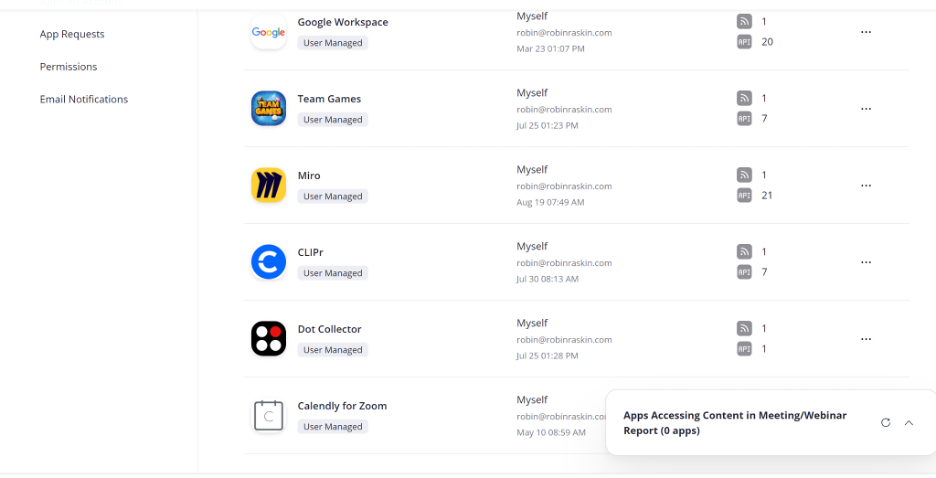
In my multi-hour experiment, I installed eight different apps with eight completely different sets of rules for how they operate in Zoom. To play the game HeadsUp I sent an invite to my co-participant, who was told to install the app. (It now cannot be uninstalled. Plus, after one free game question they want $11.95 a month.) I tried Miro, which sent me out of Zoom to register. I shared Miro. My participant could watch, not interact. In most cases, once you finally do get an app opened you have two options: “share” and “send”. Share simply uses screen share, but I could have done that without the Zoom app even being involved. Send, on the other hand, forces your attendees to install the app, which causes total meeting disruption unless you give them a heads-up before the meeting. Some newer apps are both ingenious and “WTF” simultaneously, like Dots, which offers feedback and rewards to meeting participants, or Circles, which takes the squares out of Zoom and puts people instead in circles. Is that something you’ve pined for as you’ve been stuck in the grid?
To be a serious app marketplace, Zoom needs uniform, specific instructions for exactly what to expect when you use its apps. As of now, the information is pretty barebones and seems to be supplied by each app developer.
I don’t want to sound like the grinch who stole Zoom apps. They’re likely to end up a great way to take rigidity and sameness out of Zoom meetings. But for the moment, to have better meetings you need fewer tools, not more.
Extra Viewing: This week, my company, The Virtual Events Group, featured the two of the creators of Zoom Events. It’s an events platform, totally independent of Zoom that lets you manage registrations and ticketing. You can watch their presentation here.